> For the complete documentation index, see [llms.txt](https://doc.orbeon.com/llms.txt). Markdown versions of documentation pages are available by appending `.md` to page URLs; this page is available as [Markdown](https://doc.orbeon.com/form-runner/form-runner-pages/confirmation-page.md).
# Confirmation page
## Availability
[\[SINCE Orbeon Forms 2025.1\]](/release-notes/orbeon-forms-2025.1.md)
## Introduction
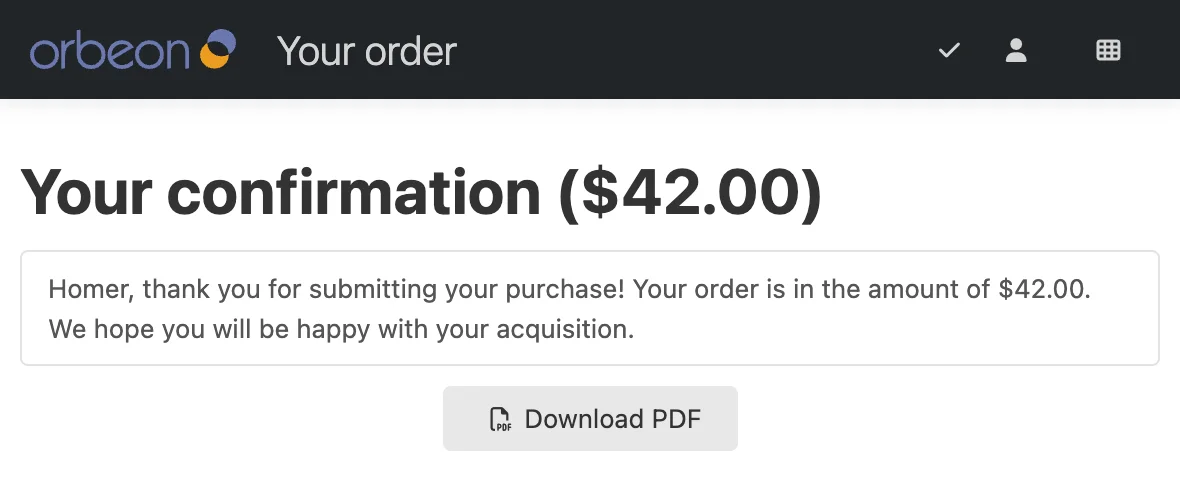
It is useful for a form to be able to show a confirmation page to the user once processing is complete. The confirmation page is a built-in feature which allows:
* displaying a message to the user once the form is successfully submitted
* allowing the user to download a PDF copy of the submitted data
Confirmation page example
Like email templates, the confirmation page can be customized using Form Builder, using *confirmation page templates*.
## Form Builder user interface
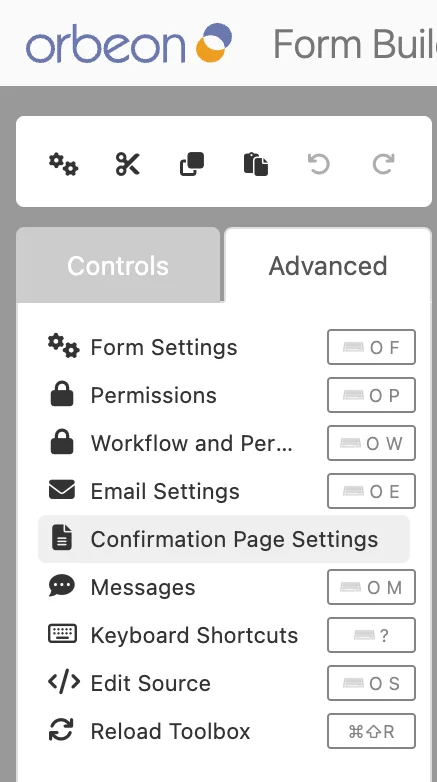
You open the "Confirmation Page Settings" dialog from the Form Builder "Advanced" tab.
Advanced tab in Form Builder toolbox
The "Confirmation Page Settings" dialog allows you to create multiple templates, each with a name and optional language. The confirmation page selects a template as follows:
* All the templates that are for a specific language which doesn't correspond to the current language are filtered out.
* If at least one template which corresponds to the current language exists, the first such template is used, following the order in which they are defined in the form.
* The first remaining template is used, following the order in which they are defined in the form.
**NOTE: As of Orbeon Forms 2025.1, unlike with email templates, it is not possible to choose a template by name.**
Templates can specify a title and a message body.

Both title and message body can be configured with template parameters which can include:
* control values
* formulas

You can also choose whether a PDF download button is available. The PDF is produced as follows:
* If, in a previous page, a process used the `send()` or `email()` action and a PDF was produced at that time, then that PDF is used.
* Otherwise, the PDF is produced at the time the confirmation page is shown.
## Form Runner configuration
By default, Form Runner does not show a confirmation page. You navigate to a confirmation page by using the `change-mode(mode = "confirmation")` action in a process, such as a `submit` process. For example:
```xml
send(
uri = "https://example.org/",
method = "POST",
content = "xml",
replace = "none"
)
then email(template = "my-template")
then change-mode(mode = "confirmation")
```
## See also
* [Email settings dialog](/form-builder/advanced/email-settings.md)
* [Form Runner email action](/form-runner/advanced/buttons-and-processes/actions-form-runner/actions-form-runner-email.md)
* [Custom modes](/form-runner/features/custom-modes.md)